> For the complete documentation index, see [llms.txt](https://tsdocs.vitaracharts.com/llms.txt). Markdown versions of documentation pages are available by appending `.md` to page URLs; this page is available as [Markdown](https://tsdocs.vitaracharts.com/readme/smooth-line.md).
# Smooth Line
The Line Smoothening feature is added in the Vitara charts . Instead of sharp curve lines, we can now use this new capability to create line charts that represent smooth curves.
#### List of charts support this feature:
* Line/Area/Sparkline charts
* Combination chart using Bar/Column charts
* Combination chart using Stacked bar/column charts
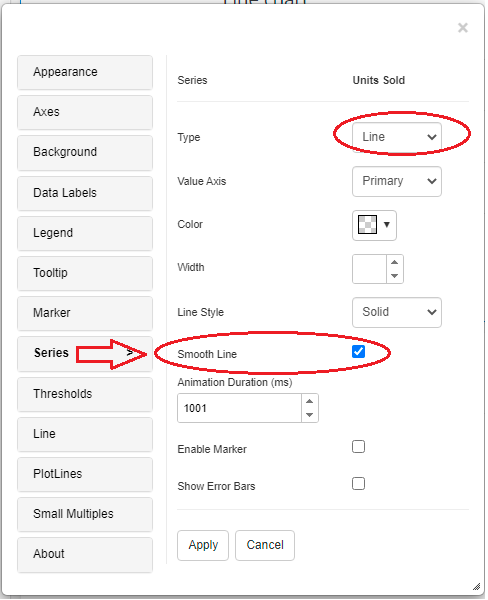
#### How can we enable Smooth line feature
Smooth Line will be available in the line settings menu in line/area/spartline charts.
If we use a line/area chart in the combination chart for a given series, the Smooth Line option is available in the same series option menu.
#### Below is the screenshot of charts with smooth line feature