> For the complete documentation index, see [llms.txt](https://tsdocs.vitaracharts.com/llms.txt). Markdown versions of documentation pages are available by appending `.md` to page URLs; this page is available as [Markdown](https://tsdocs.vitaracharts.com/grid-chart-guide/reset-columns.md).
# Reset Columns
## Properties Menu - Reset Columns
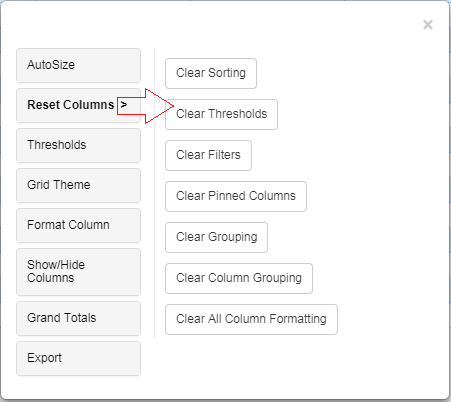
With just a click we can delete any property applied to Vitara grid chart. Using the ‘Reset Columns’ tab we can delete all the customizations we applied on the grid chart.
### Clear Column Order Option in Reset Tab
Introduced in Version **5.3.8**
A new option, **Clear Column Order,** has been added under the **Reset** tab. When a column is reordered in the chart, this option becomes available in the Reset tab, allowing users to clear the column order and restore the default Chart.
Starting from version **5.3.8,** all options in the Reset tab remain **hidden** by default. The Reset tab appears empty until any formatting options are applied.
When users apply formatting options—such as **Sorting, Pinned Columns, Grouping, Thresholds, Filters, Scaling, Column Grouping, or Metric Grouping**—the corresponding reset options automatically become available in the **Reset** tab. Users can use these options to individually clear the applied formatting.
**Example:**
In the screenshot below, the **Clear Column Order** option is displayed in the Reset tab because the columns were previously reordered. Users can select this option to remove the applied column order.